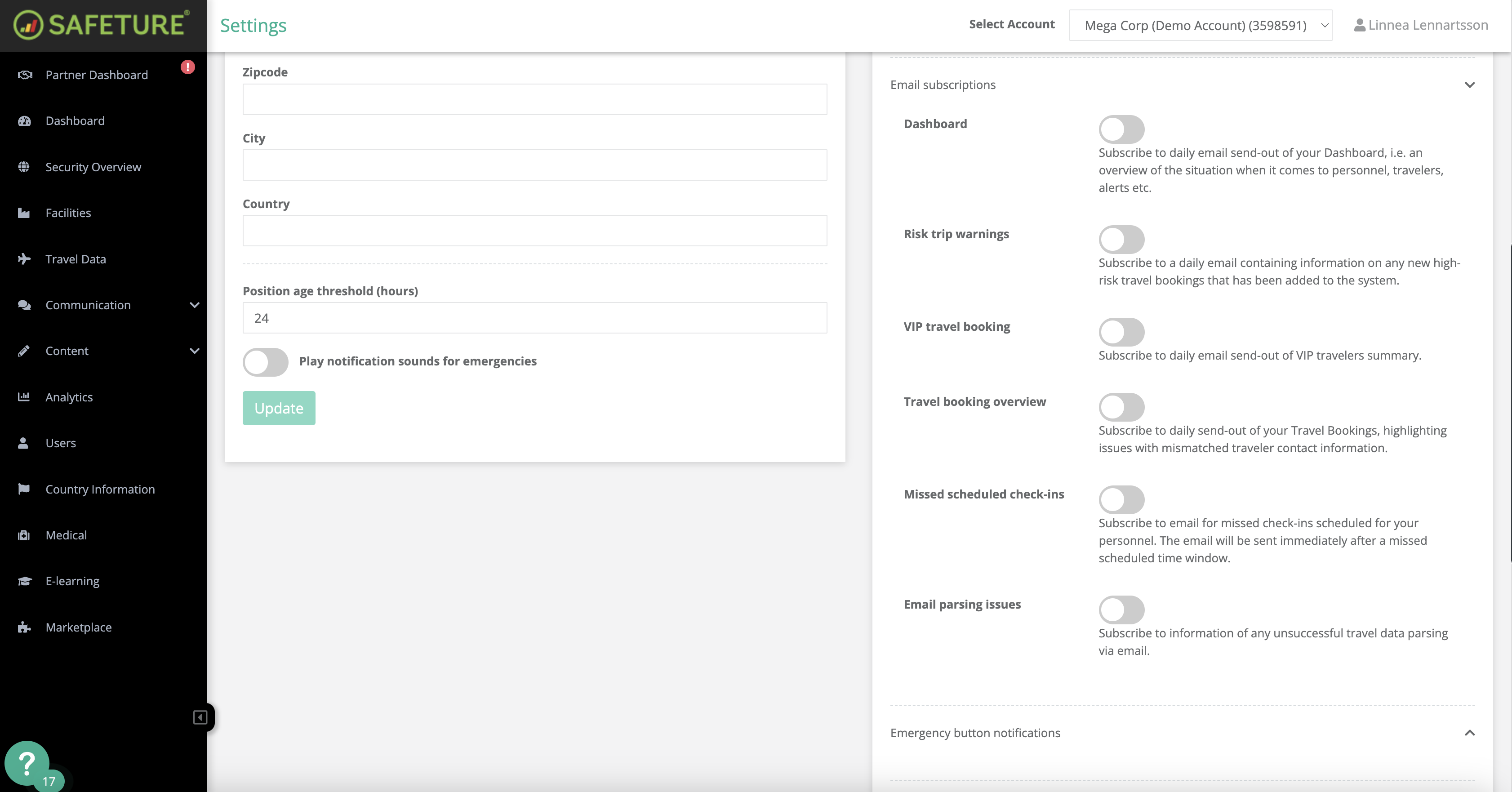
The "Scheduled Check-ins" feature supports People Risk Management by notifying administrators when a traveler misses a check-in. You can find more information about this feature here. The email will provide the following details:
-
Traveler's name who missed the check-in
-
Last check-in time
-
Scheduled check-in time
This email subscription ensures that administrators are informed immediately when a scheduled check-in is missed, enabling them to take prompt action if necessary.
How to activate this subscription:
-
In the Safeture Platform (Web Portal), click on your account name in the upper right corner.
-
Select “Settings” and navigate to the "Notification settings" widget.
-
Click on “Email subscriptions” and enable notifications for Missed Scheduled Check-ins.